February 10, 2026
5,704 Reads
But have you ever stopped to wonder what's really going on inside that fancy box or slim device? What are all those tiny components doing? It might seem like something only super-techy folks need to know, but trust me, understanding these core parts isn't just for the geeks. It actually helps demystify your devices, makes you feel a heck of a lot more in control, and can even help you understand why your computer sometimes acts up or why one device feels snappier than another. It's like understanding the basic ingredients in your favorite dish – suddenly, it all makes more sense!
So, let's ditch the tech jargon and take a friendly tour inside. We're going to break down the three main players that make your digital life possible: the Brain, the Memory, and the Filing Cabinet. Ready? Let's dive in!
Alright, first up, let's talk about the absolute boss, the undisputed leader of the pack: the CPU. That stands for Central Processing Unit, and honestly, it's the closest thing your computer has to a brain. This tiny, powerful chip is where all the real thinking, calculating, and decision-making happens. And when I say "lightning speed," I'm not kidding – we're talking billions of operations per second!
Think of your computer as a bustling, high-end restaurant kitchen. In this analogy, the CPU is the super-smart, incredibly fast head chef. Every single instruction you give your computer – whether you're opening an app, typing a sentence, browsing the web, or playing a game – is like an order coming into the kitchen. The CPU, our chef, takes that order, reads the recipe (which is essentially a program's instructions), and then gets to work.
It's constantly following those recipes, chopping ingredients (processing data), mixing things up (performing calculations), and making sure everything is cooked to perfection (executing commands). If you're playing a video game, the CPU is calculating where all the characters are, how they move, and what happens when you press a button. If you're editing a photo, it's crunching numbers to apply filters and adjustments. Even just moving your mouse cursor across the screen requires the CPU to process that input and tell the screen where to display the cursor.
Now, you might hear terms like "GHz" or "cores" when people talk about CPUs. What do those mean? Well, "GHz" (gigahertz) is like how fast our chef can chop and prepare ingredients – a higher number generally means a faster chef. "Cores" are like having multiple chefs working in the kitchen simultaneously. A dual-core CPU has two chefs, a quad-core has four, and so on. More cores mean your computer can handle more tasks at once, or tackle really complex tasks by splitting them among multiple chefs. That's why a computer with more cores often feels smoother when you're multitasking or running demanding software.
So, next time your computer feels snappy and responsive, give a little nod to that incredible CPU, tirelessly working away, making sense of all your commands and bringing your digital world to life. It's truly the engine that drives everything!
Okay, so we've got our super-smart chef (the CPU) in the kitchen. But what about all the ingredients and recipes? Where does the chef keep everything they need? That's where our next two crucial components come in: RAM and Storage. They both hold information, but they do it in very different ways, kind of like a temporary workbench versus a permanent filing cabinet.
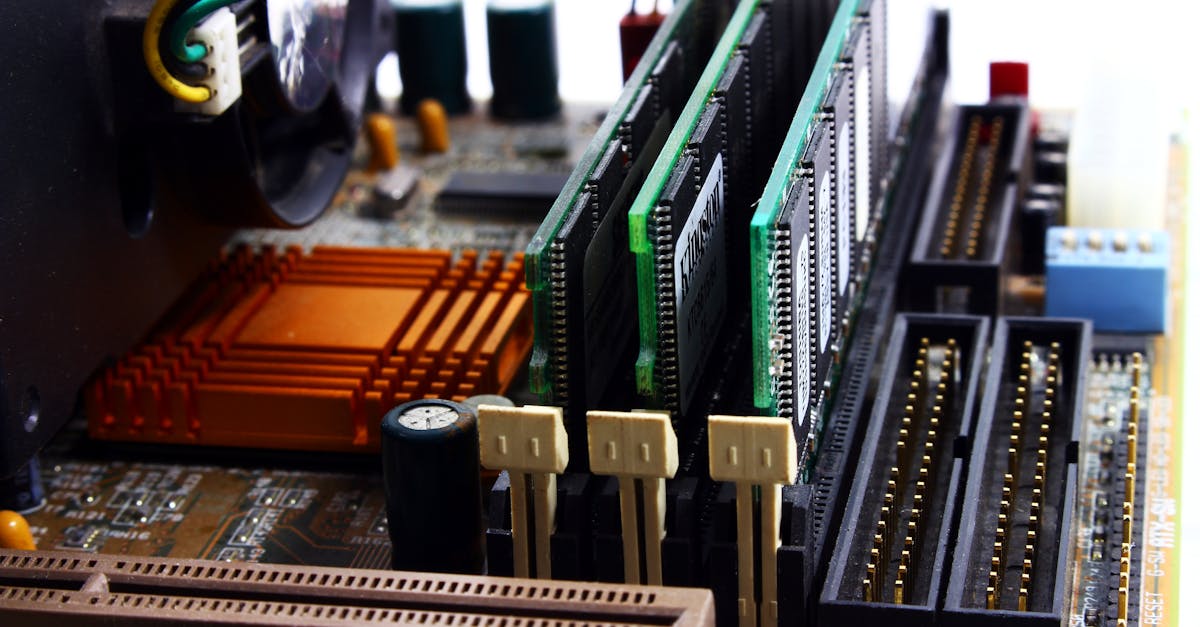
Let's start with RAM, which stands for Random Access Memory. Think of RAM as the chef's immediate workbench – the counter space right in front of them where they keep all the ingredients and tools they're using right now. When you open an application, like your web browser or a word document, your CPU needs quick access to all the data and instructions related to that program. RAM is where that information gets loaded.
It's incredibly fast, allowing the CPU to grab what it needs almost instantly. This speed is crucial because the CPU is constantly asking for new bits of information to process. The more RAM you have, the bigger your workbench. A bigger workbench means you can have more applications open at the same time, more browser tabs, or work on larger, more complex files without your computer slowing down to a crawl. If your workbench is too small, the chef has to constantly put things away and pull them back out, which wastes time.
Here's the catch with RAM: it's temporary. As soon as you turn off your computer, everything on that workbench vanishes. It's like clearing the counter at the end of the day – all the ingredients and prepared dishes are gone. That's why if you're working on a document and your computer suddenly loses power, you lose any unsaved changes. RAM is for active, immediate use, not for long-term keeping.
Now, if RAM is the temporary workbench, then Storage is your computer's permanent filing cabinet, or a massive library. This is where everything lives for the long haul: your operating system (Windows, macOS, Android), all your installed programs, every photo you've ever taken, every document you've ever written, every game you've downloaded, and every movie you've saved. Unlike RAM, when you turn off your computer, all this information stays put, safe and sound.
There are two main types of storage you'll hear about:
HDD (Hard Disk Drive): These are the older, more traditional type. Imagine a record player inside your computer. HDDs store data on spinning platters with a read/write head that moves across them, like a needle on a record. They're generally cheaper and can hold a lot of data, but because they have moving parts, they're slower and more fragile.
SSD (Solid State Drive): These are the newer, faster kids on the block. Instead of spinning platters, SSDs use flash memory, similar to what's in a USB stick or your smartphone. Because there are no moving parts, they're incredibly fast, much more durable, and consume less power. This means your computer boots up way faster, apps open almost instantly, and files transfer in a blink. The downside? They tend to be more expensive per gigabyte than HDDs.
So, while RAM is about speed for active tasks, Storage is about permanence and capacity for all your digital possessions. When you click to open an app, the CPU tells the Storage to find that app's files, then loads the necessary parts into RAM so the CPU can start working with them quickly. It's a beautiful, coordinated dance!
So, there you have it! Your computer isn't a mysterious black box anymore. You've just gotten a peek behind the scenes at the incredible teamwork happening inside. The CPU is the brilliant, tireless brain, constantly processing instructions and making things happen. RAM is its super-fast, temporary workbench, holding everything the CPU needs right now for quick access. And Storage is the reliable, permanent filing cabinet, keeping all your precious files and programs safe for the long haul, even when the power's off.
They're a powerful trio, each with a distinct role, working together seamlessly to bring your digital world to life. Next time you open an app, save a photo, or even just browse the web, you'll have a secret understanding of the amazing dance happening inside your device. You're practically a tech whisperer now, and that's a pretty cool feeling, isn't it? Keep exploring, and enjoy your newfound tech savvy!